I would recommend to follow @Admin recommendation and execute the pre-process part first and then your other transformation in an own transform file.
For nasty implementations it would be possible to combine it in one transform file, but you need a temporary file anyhow. You need to know the EDT logic. It starts with the most left transformation and complete the branch with this transformation if possible. So it would be to do the pre-process first (1) and read in the temporary file in a second step (2) as long as it is more to the right from prep part, but then you should mark with reading of the temporary file the “watch file” option.
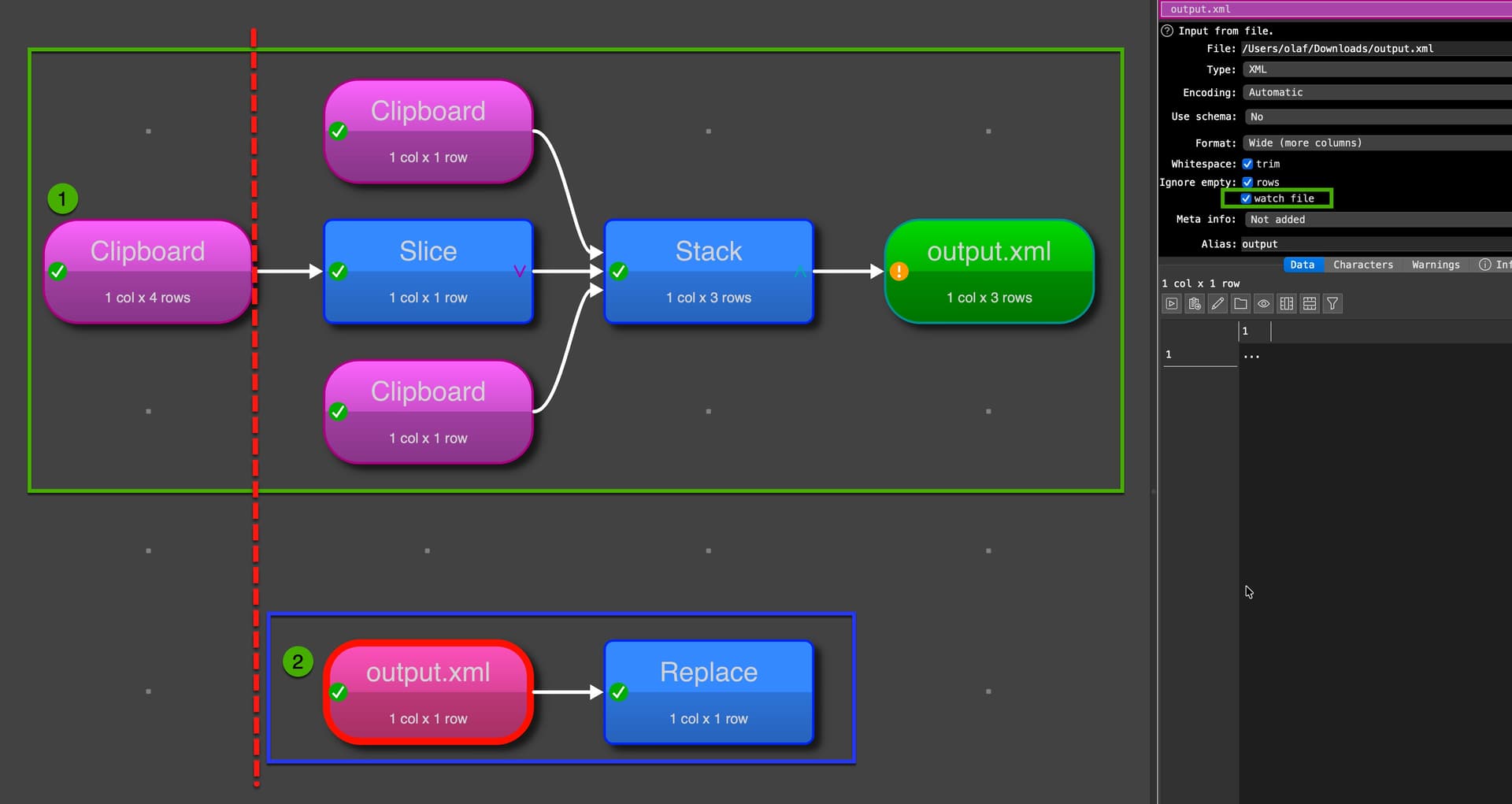
But honestly, I think this is bad behavior and could have some side effect. I just mention it to show options in EDT.
I strongly recommend to keep the EDT transformation files as simple and easy as possible and automate execution sequences with tools (command line scripts) or on Mac you can use, e.g. Keyboardmaestro or Shortcuts.
Examples for Keybordamaestro you can find here: Using Easy Data Transform with Keyboard Maestro on your Mac or is your preference EDT with GUI interaction you can do it this was, which is again Keyboardmaestro:
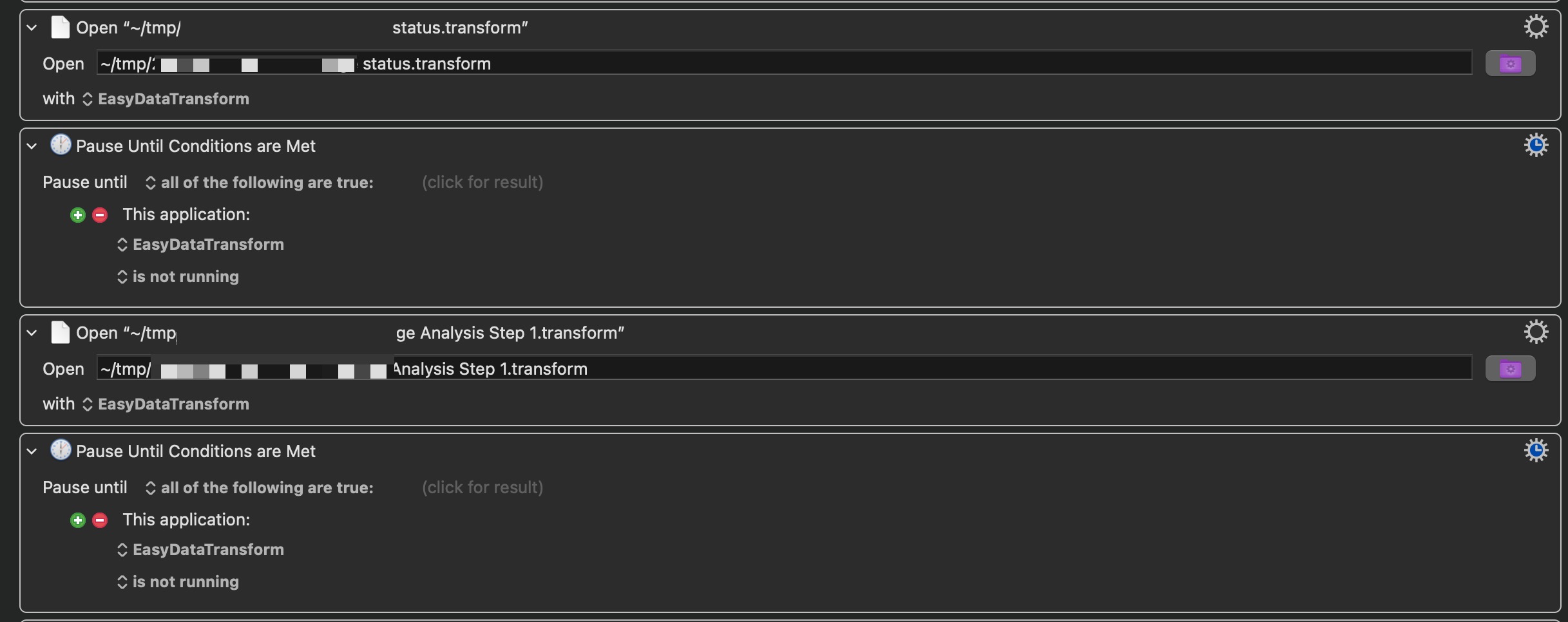
But I think there are tools on Windows, too. I think there are examples in the documentation.