I have a csv file of names and email addresses, similar to this:
‘Rick Quatro’,rick@frameexpert.com
Each row can have a variable number of names and matching email addresses. I want to end up with a 2-column list of names and email addresses:
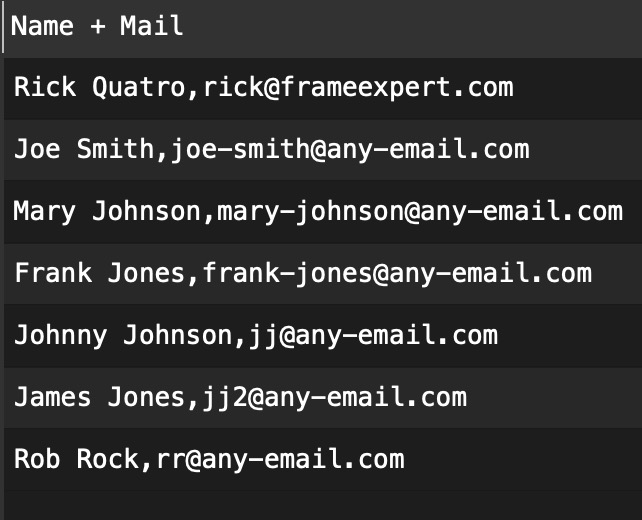
Rick Quatro,rick@frameexpert.com Smith,,joe-smith@any-email.com Johnson,mary-johnson@any-email.com Jones,frank-jones@any-email.com Johnson,jj@any-email.com Jones,jj2@any-email.com Rock,rr@any-email.com
I tried Split Col, but I can only split on one column at a time. Any help would be appreciated. Thank you.
Olaf
October 15, 2025, 4:31pm
2
You data is a little tricky, first you have delimiter ”,” and “;”.
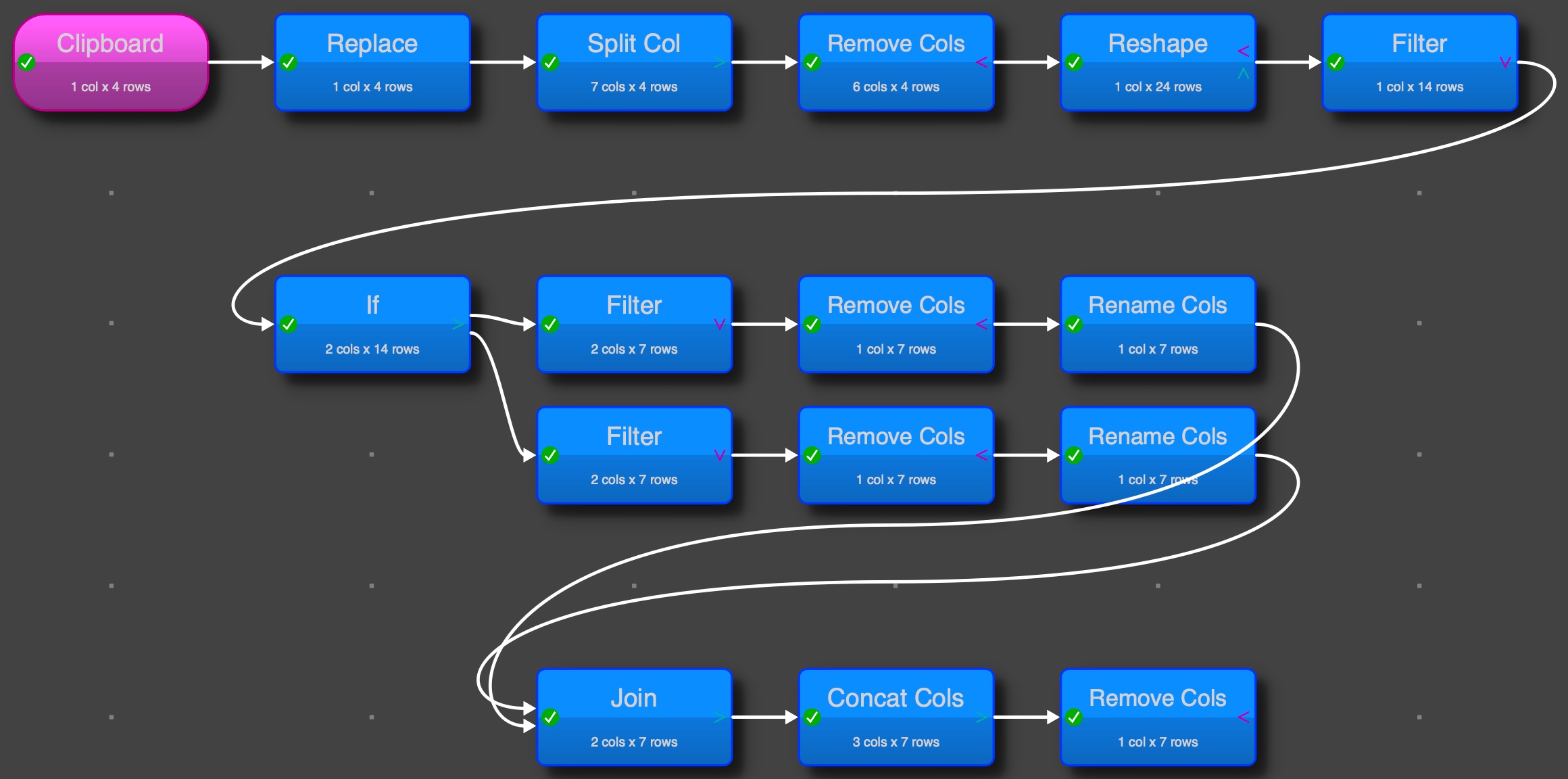
The following works at least with your example data, but it needs some steps:
in join:
or in last Remove:
It is assumed that first name matches first Mail address in the row, second to second and so on.
Name_Mail.transform (7.5 KB)
1 Like
Admin
October 15, 2025, 5:00pm
3
I did it a very similar way to @Olaf :
fe.transform (6.5 KB)
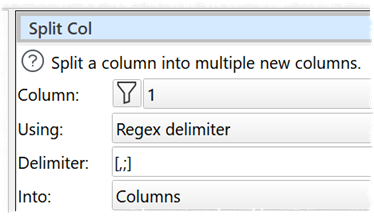
Note that you can read all the columns in as a single column (as plain text) then split a column by multiple delimiters like this:
1 Like
Olaf
October 15, 2025, 5:26pm
4
good hint with the regex delimiter in Split Col
3 Likes
Thank you very much. I got Olaf’s working before I saw Andy’s, but I want to follow the logic for both. I wasn’t familiar with Reshape, but it makes sense. Thanks!
Here is my take on it.
Transform file.
SplitMultipleColumns.transform (4.6 KB)
2 Likes