A Loop option in the Command Line window, to help you construct command line arguments with loops for Windows or Mac. This can be tricky to do on your own, especially if file names can contain spaces.
As a snapshot release, it isn’t as thoroughly tested as a production release, but it should be fairly stable. Please reply to this post if you have any issues, suggestions or questions related to this release.
Thanks a lot! This feature (copy + paste) is on top of my list of wishes, so I was anxious to test. Already working with it and from the small tests I put through, no issues so far and doing what is intended.
So far, so good, for me. Nice that copy & paste works between files too (I have diagramming software that infuriatingly doesn’t allow this). This opens up the idea of creating a library of transform branches in a file for re-use in others.
Implementation is great, even with copy it loose some arguments but it is easy to get the arguments, e.g. for filter or rename with copy and paste and add them again. It will save a lot of time.
But I have some observations on notes…
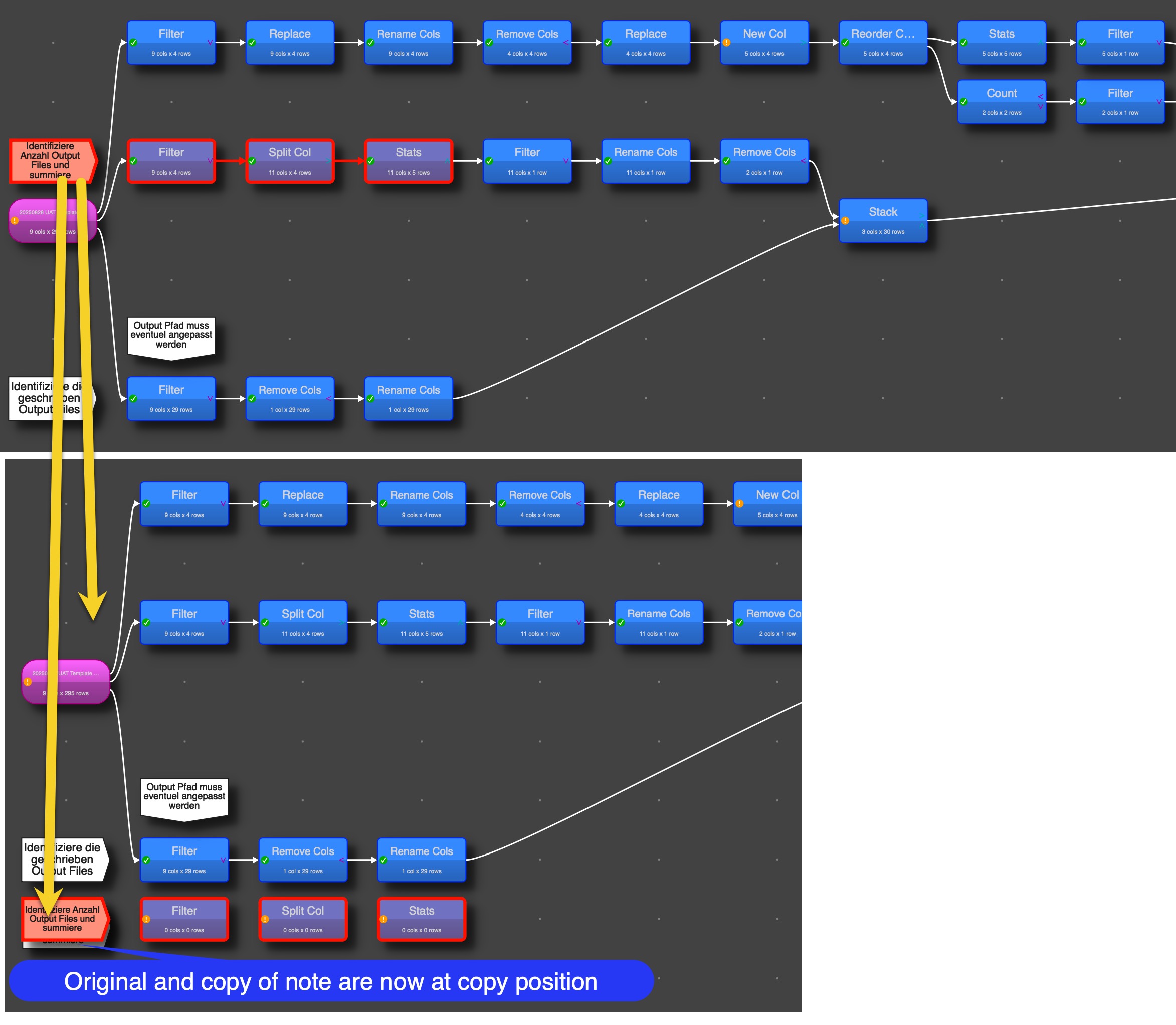
Here I marked with the mouse all transformations and copied them into an empty EDT window
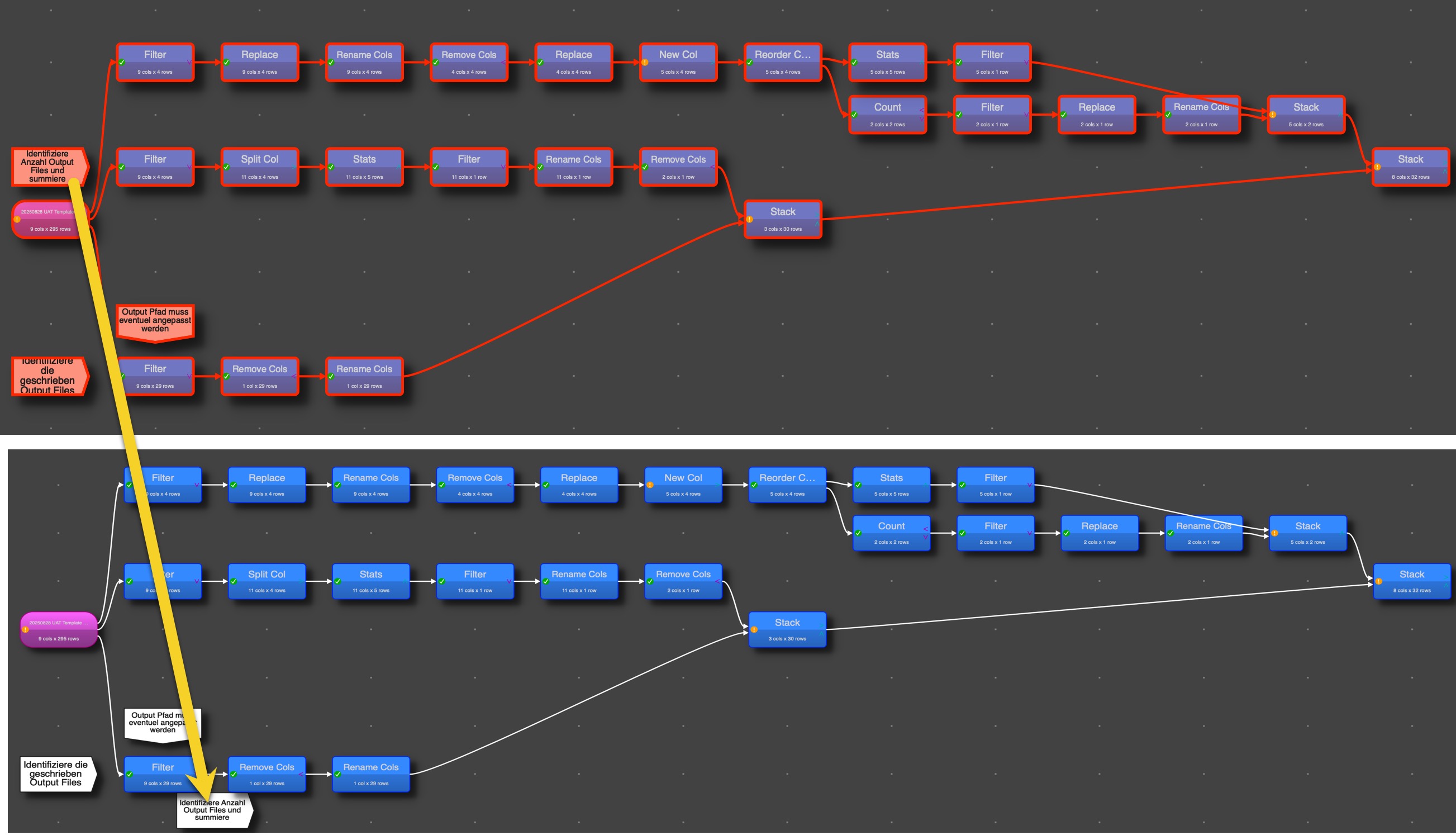
The issue loosing the connections doesn’t happen here, as I didn’t use select all. But one of the notes is not connected to the original transformation any more a position is on bottom.
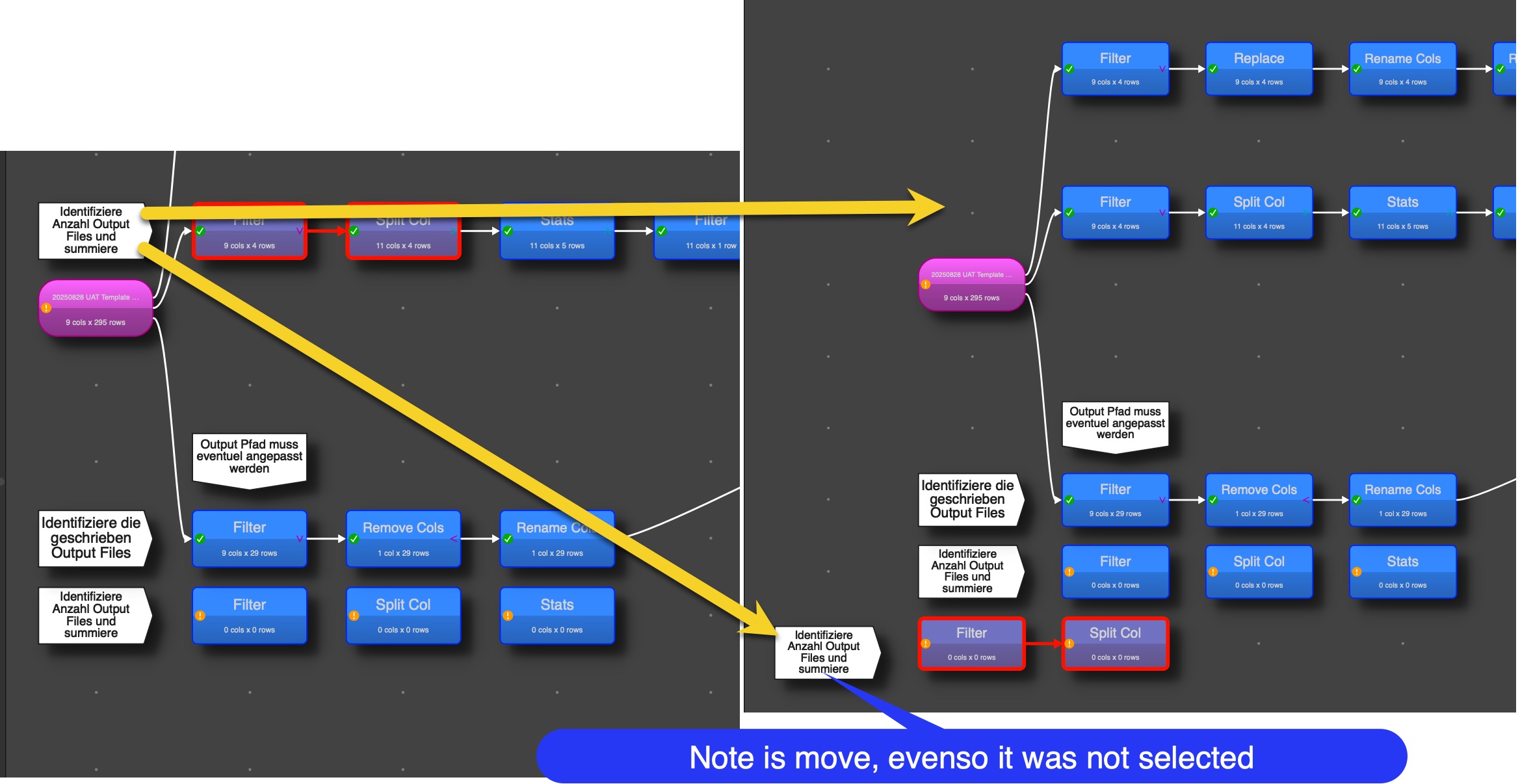
When marking three transformations and a note and copy, the note is move and copied:
Whenever I mark some transformation with a chart output transformation and copy/paste the connects are lost. Same behavior as the select all issue described above