There is a new v2.14.0 snapshot release. This release allows you to read hundreds or thousands of data files, from a folder, into a single Input item in one operation.
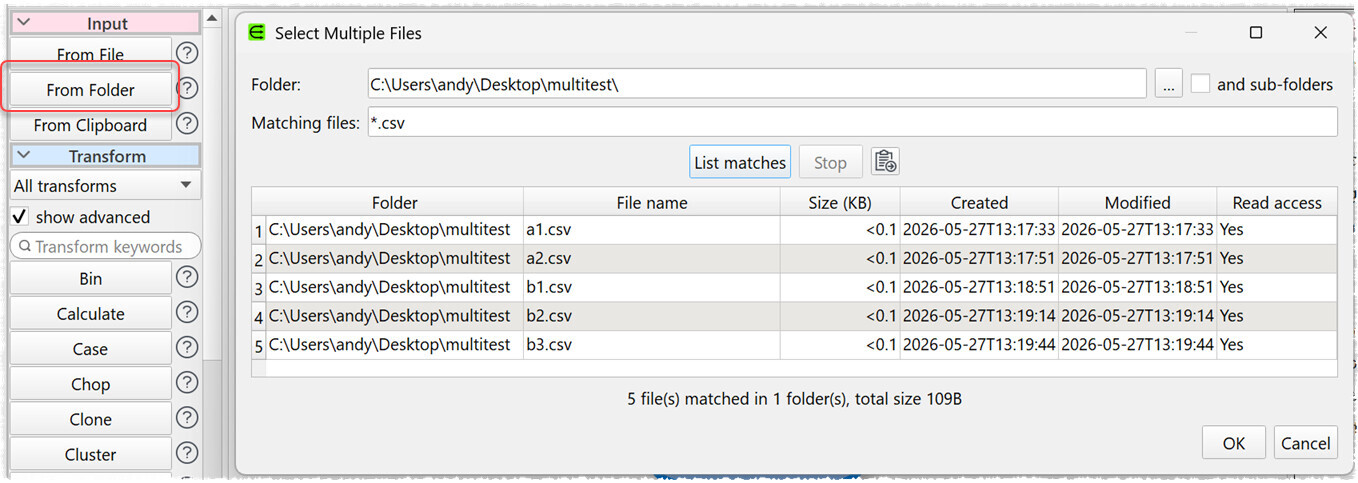
Click From Folder or drag a folder on to the Center pane.
Match files using a wildcard, e.g. ‘*.csv’ to read all files with extension ‘csv’.
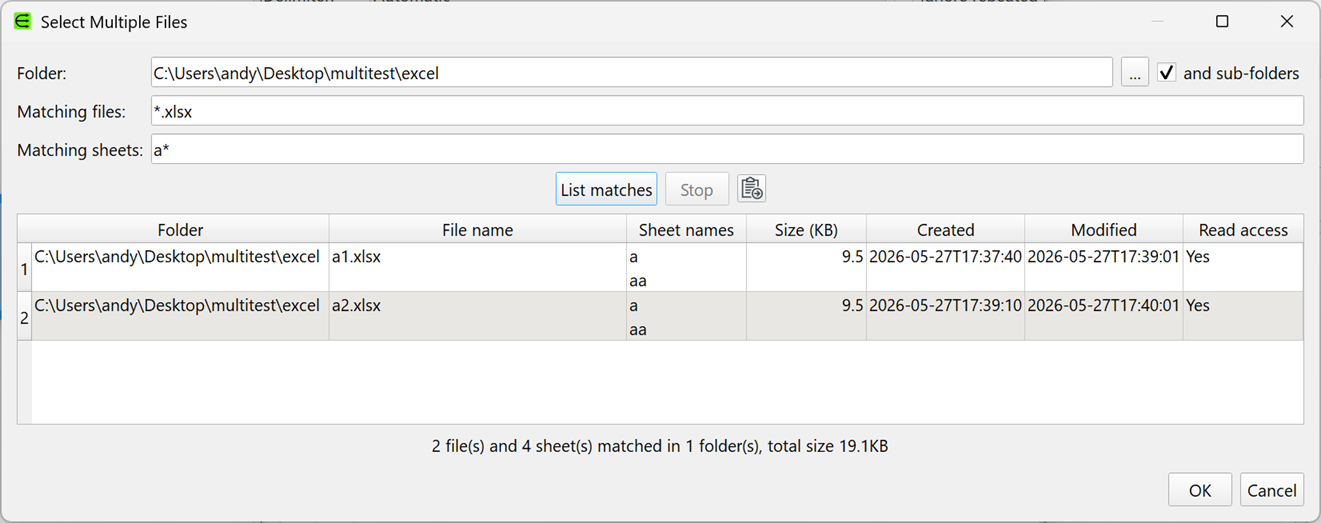
Match Excel sheets using a wildcard, e.g. ‘x*’ to read all sheets beginning with ‘x’.
Optionally recurse into sub-folders.
List matching files/sheets before running.
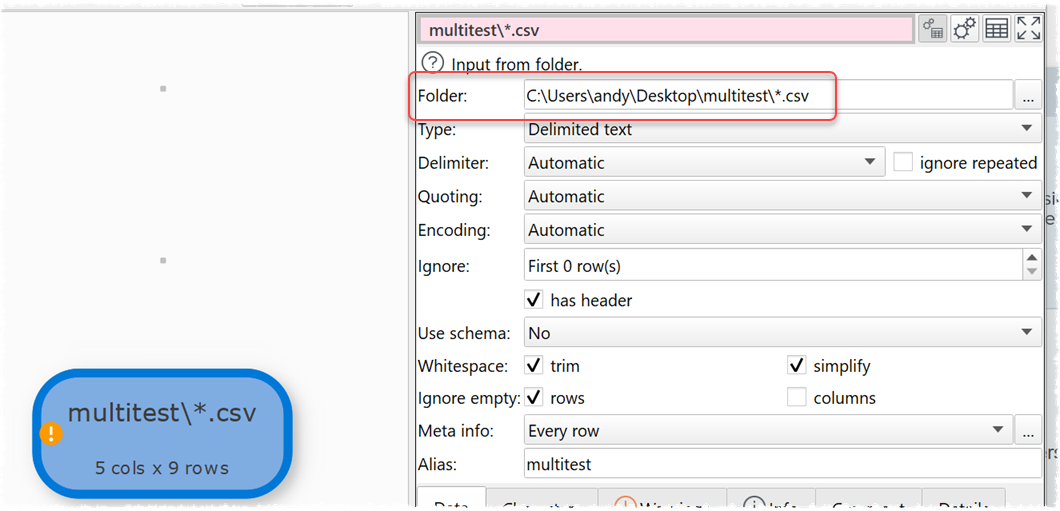
Columns are aligned by column index (position) by default. You will be warned of differences.
You can use a Schema to align by column name.
Use Meta Information to add file information to the dataset.
Folder based inputs can be used from Command Line or Batch Processing.
All files must be of the same type (e.g. all CSV).
It has been a lot of work to integrate with everything else already in Easy Data Transform (schemas, command line, batch processing etc). But we think it is a very powerful new feature.
Please try it and let us know if you have any issues or suggestions:
This was timely. Just received 30 xlsx files to process.
All 19,574,705 rows × 8 columns came in fine (eventually).
I think “Matching sheets” is case sensitive, which caught me out at first.
I think “Type” should be second in the options, then “Matching files” and then “Matching sheets”.
And so maybe “Matching files” gets populated based upon “Type” chosen?
I did “List matches”. Could the list be populated as-and-when it finds a file, rather than a wait to show all files? Or maybe a count of files processed out of total files to be processed?
Just some suggestions. But it worked for me, so no biggie.
Many thanks for your efforts.
I will check. If it is we need to either make it clear or have a case insensitve option.
IIRC file names are case sensitive on Mac, but case insensitive on Windows.
It is easy enough to change. I’ve been around this a few times and still haven’t quite decided the best approach.
NB/ if you drag a folder onto EDT it will select the most common extension in that folder and set the type to the default type for that extension.
List matches just tell you what files match (and sheets for Excel). It should be very fast for text files and reasonably fast for Excel files (it has to open the Excel file and list all the sheets). It should be updating the UI for each folder traversed. Possibly we could update it for each file, for Excel.
We don’t know how many files there are until we have finished traversing all the sub-folders. ;0)
I have changed it so the sheet filtering is case insensitive, to be consistent with the file names and cause less surprises. I could make case sensitivity optional, but I can’t think of a clean way to store that as part of the folder string. Also I can’t imagine many people are deliberately setting the case name of sheet names to a particular scheme.