Month-over-Month Percentage Change


Hi, could we please add a transformation called Month-over-Month Percentage Change / MoM % Change?

Problem:
The dataset contains one row per month and category. Each row has the current value, but the previous month’s value is not directly available in the same row.

Example:

Month Category Value
1 A 100
2 A 120
3 A 90
1 B 50
2 B 75

To calculate the percentage change, the transformation first needs to find the value from the same category in the previous month.

Expected result:

Month Category Value MoM % Change
1 A 100 NULL
2 A 120 20%
3 A 90 -25%
1 B 50 NULL
2 B 75 50%

Formula:

(current_month_value - previous_month_value) / previous_month_value * 100

For the first month, or if no matching previous-month value exists, the result should be NULL.

In abstract terms:
The transformation should calculate the relative percentage change between a current row and the matching previous-period row, grouped by the selected dimension/category.
1 Like

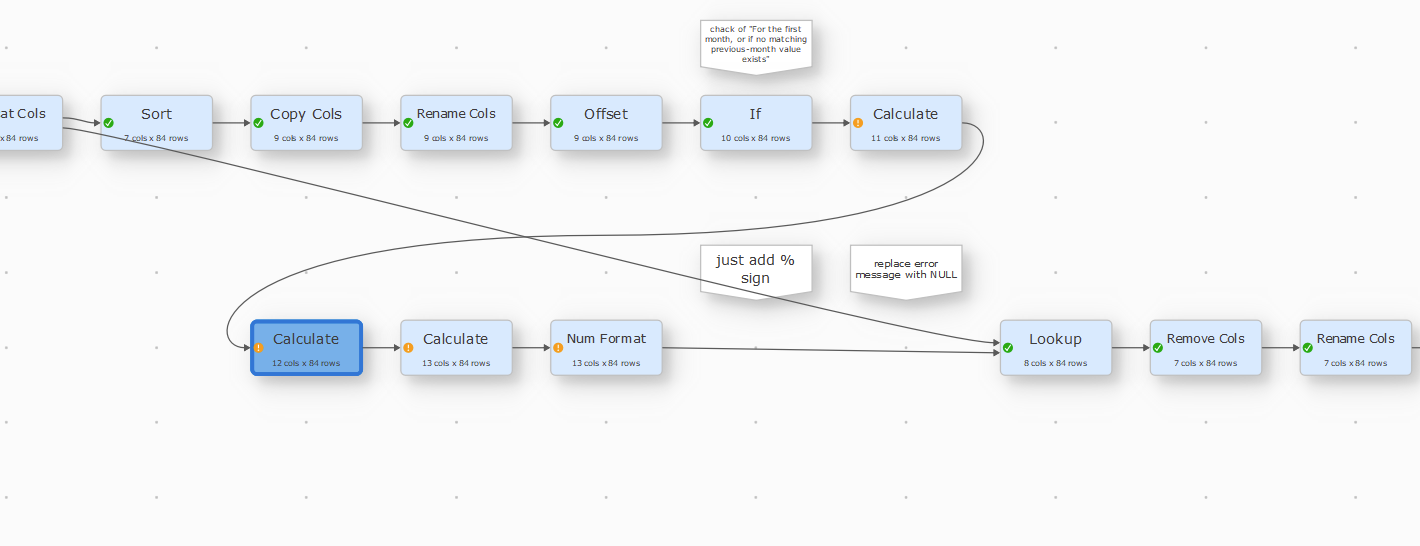
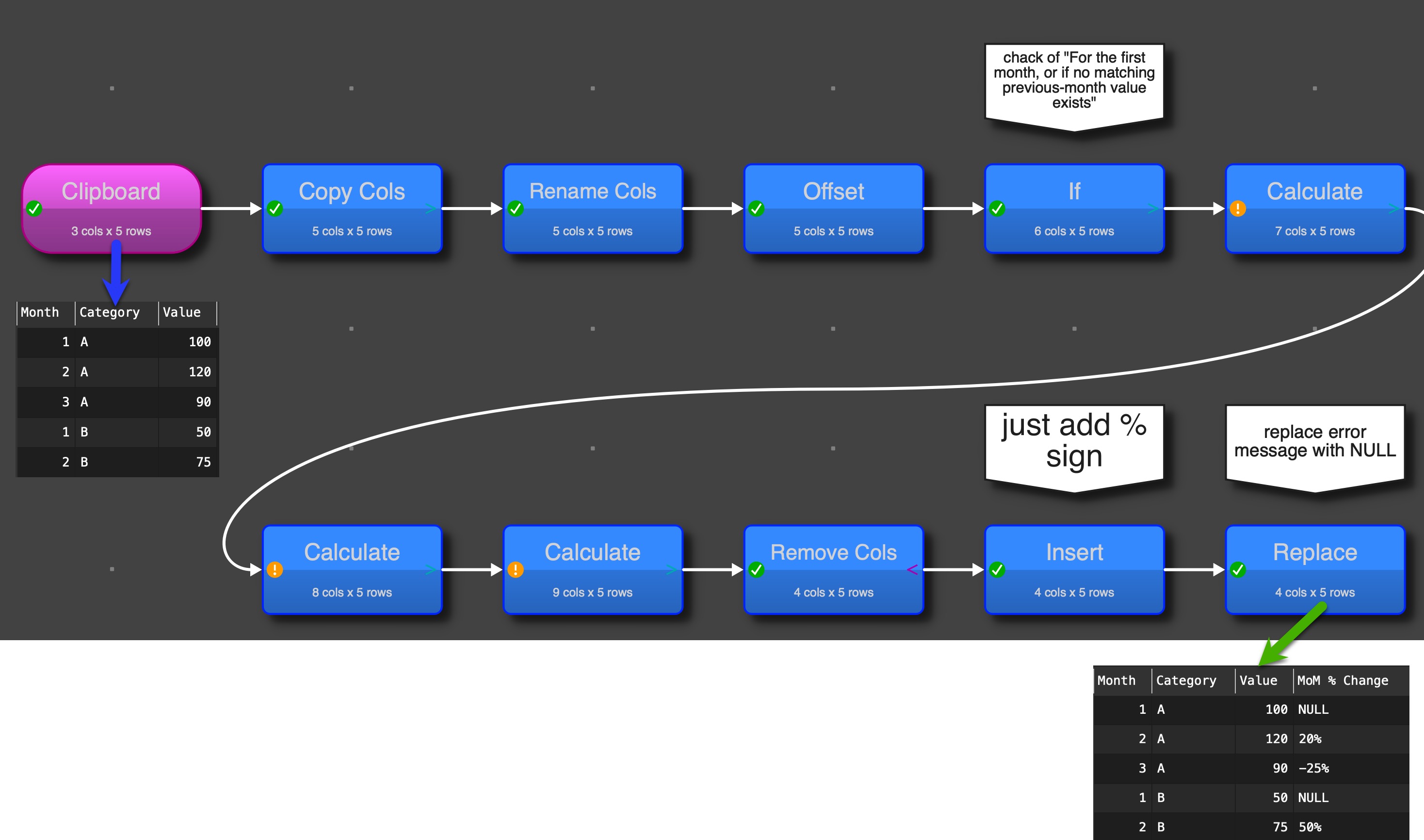
you can do it without new transformation, it isn’t straightforward (maybe there are faster ways). The main trick is the Offset transformation to move values up or down in different rows.

Phil MoM change.transform (6.9 KB)

1 Like

I think that is a bit niche for it’s own transform.

That is the way we would have done it.

(post deleted by author)

thank you olaf but the problem is more complex:


Problem:
The dataset contains one row per month and category. Each row has the current value, but the previous month’s value is not directly available in the same row.

In addition, the month alone is not enough for matching. The data can contain multiple categories per month, for example:

Month Category Value
1 A 100
1 B 50
1 C 200
2 A 120
2 B 75
2 C 180

So the transformation must not simply compare month 2 with the previous row.
It has to compare:

2 / A with 1 / A
2 / B with 1 / B
2 / C with 1 / C

and not accidentally mix values like:

2 / A with 1 / B
2 / B with 1 / C

Expected result:

Month Category Value MoM % Change
1 A 100 NULL
1 B 50 NULL
1 C 200 NULL
2 A 120 20%
2 B 75 50%
2 C 180 -10%

Formula:

(current_month_value - previous_month_value) / previous_month_value * 100

In abstract terms:
The transformation should find the matching previous-period row based on period + selected grouping dimension(s), then calculate the percentage change. This is important to avoid mixing categories within the same month.

maybe not as new transform maybe as function for example in calculate transform- i would not need the percentage - that is not my pain, my pain - is the right grouping for each period

Two sort statements should solve it the first one a sort by Category and Month as second criteria (both Ascending). This should be done before the other logic. Second sort after calculation logic: Sort be Month and here Category as second criteria.

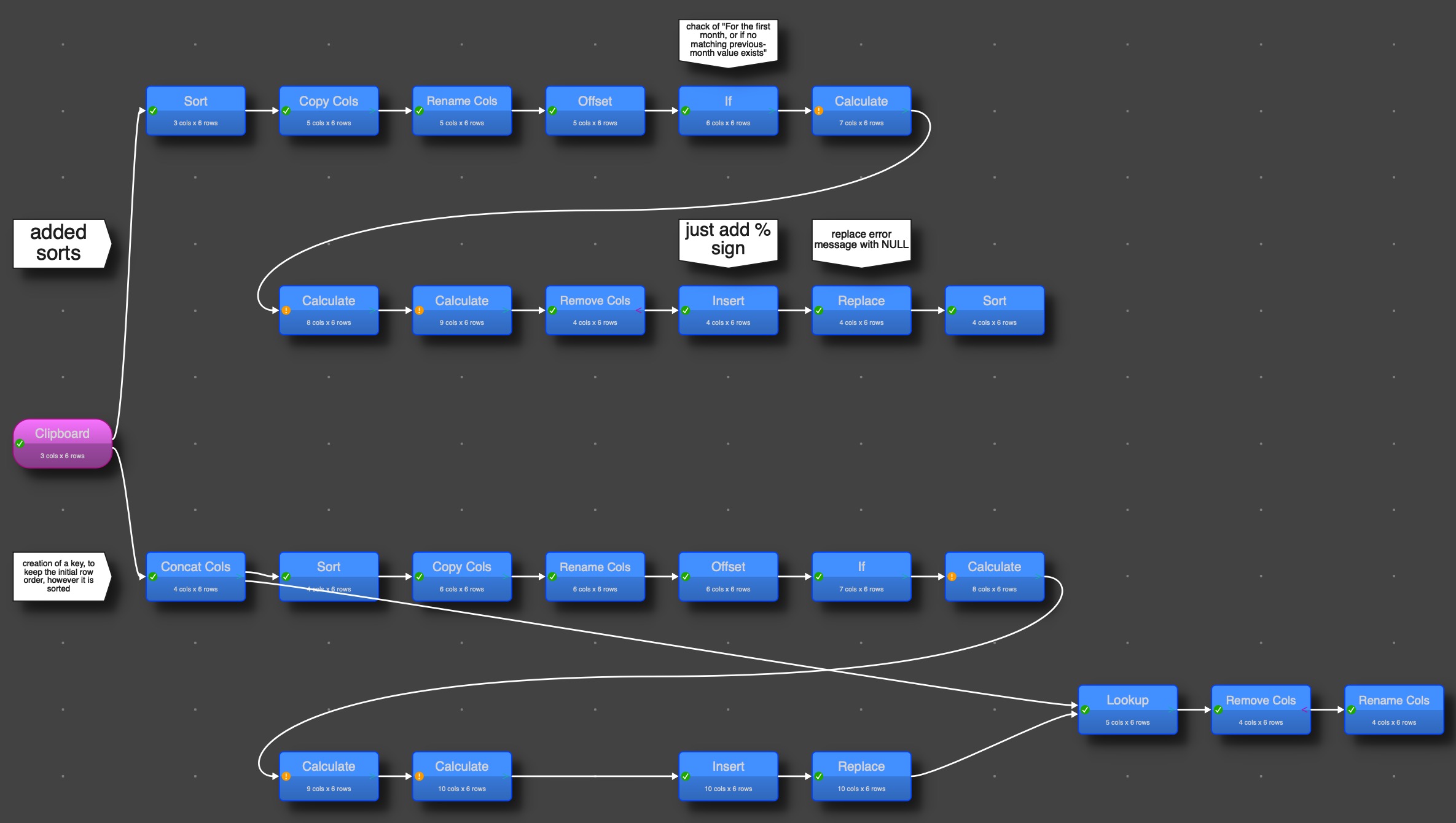
attached 2 solution, the upper part includes the sorts as stated in the reply before.

The bottom part created a key (with concat) and looks up the percentage later on, so the row order (whatever it might be is the same in the result.

Phil MoM change 2.transform (16.5 KB)

1 Like

thanks Olaf i look into:)

the percentages are off with my example - it is not really stable

Can give me your real data to check (and explanation where it is unstable). @Admin: Can you give @Phil my mail address, so it doesn‘t to be published.

1 Like

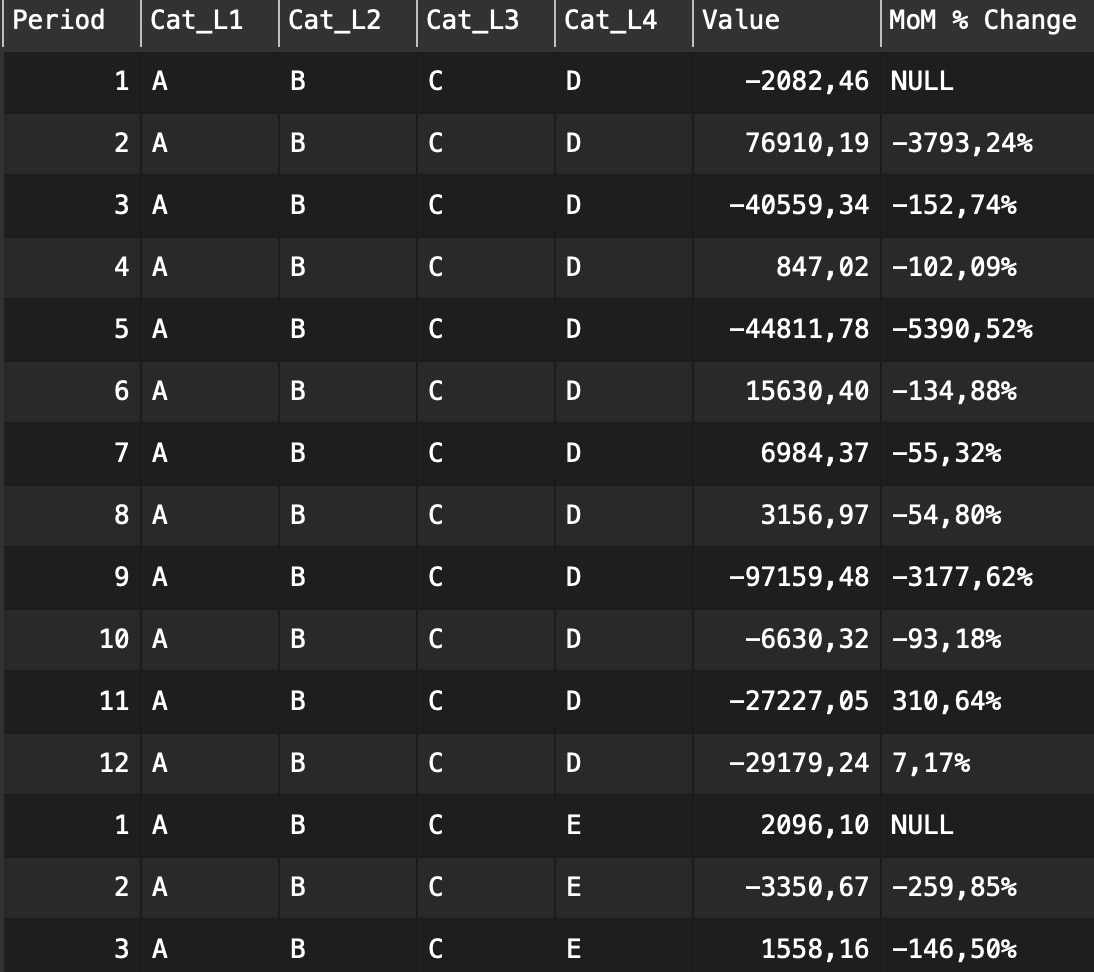
sample dataset.csv (1.7 KB) sure the essential columns are - Period, Cat_L4 and Value Thank you:)

And what rows are you getting an unexpected value at? What is the expected value?

I think it works correct, there is an issue with th exhuming values from negative to positive and vice versa. It will create percentages with changing signs and the jumps are large and show therefore percentages up in thousands.
And if you go from -10 to 20, you get a a percentage of -200%

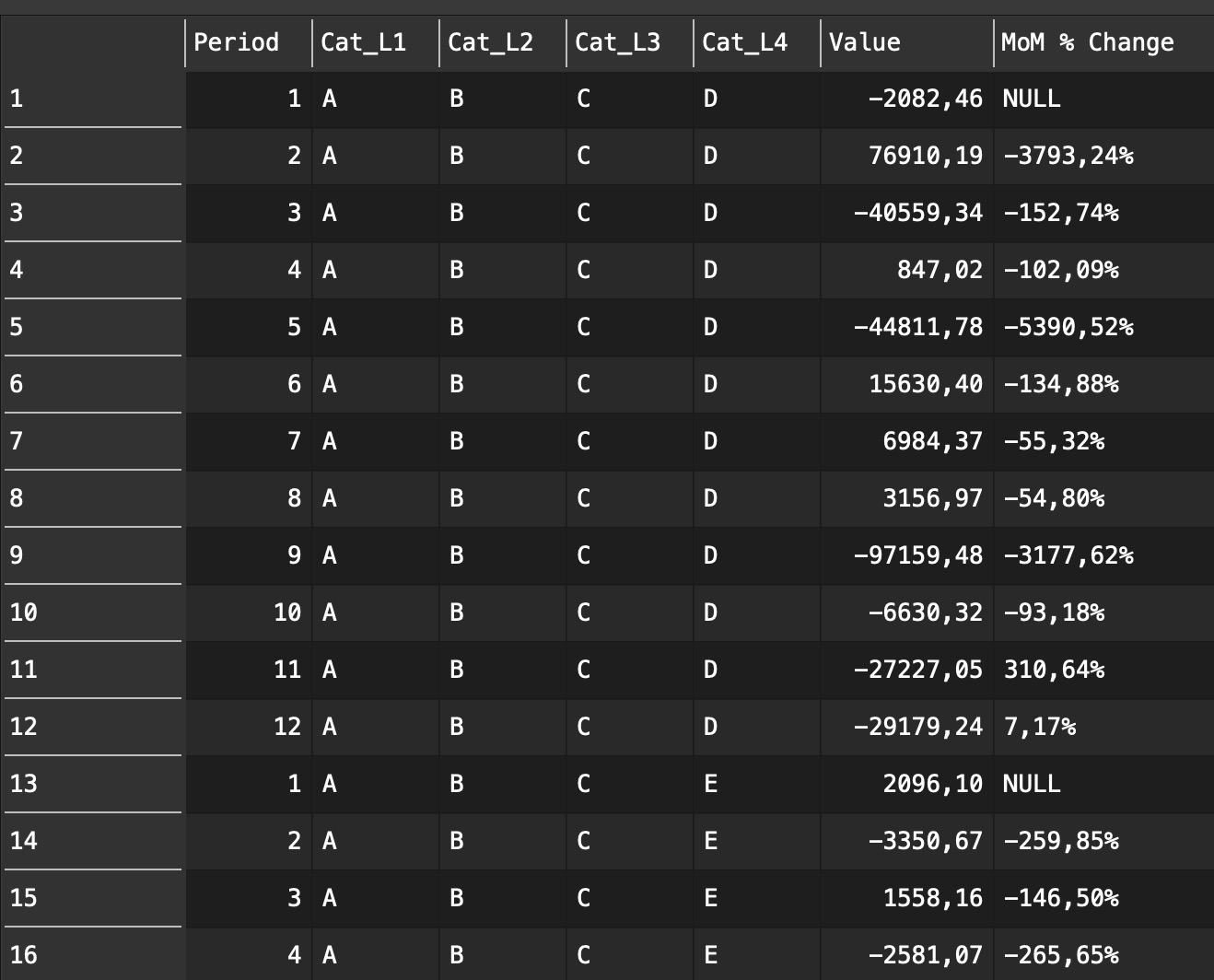
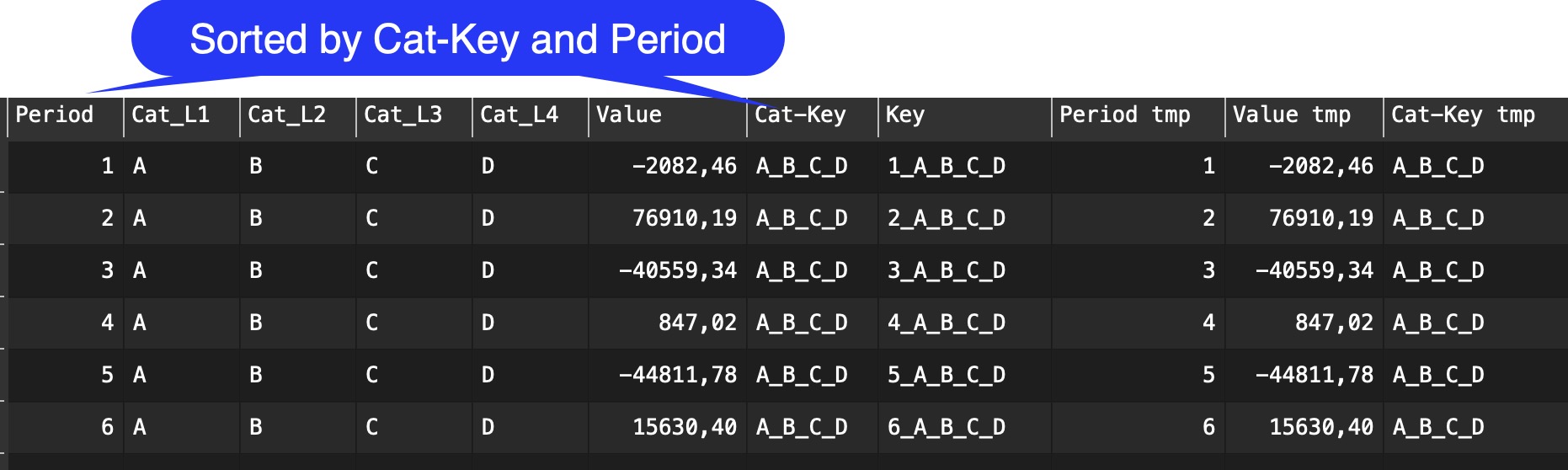
the table shows a series of Values sorted by Cat_L4 and period.

Complete calculation in the transform file
Phil MoM change 3.transform (18.5 KB)

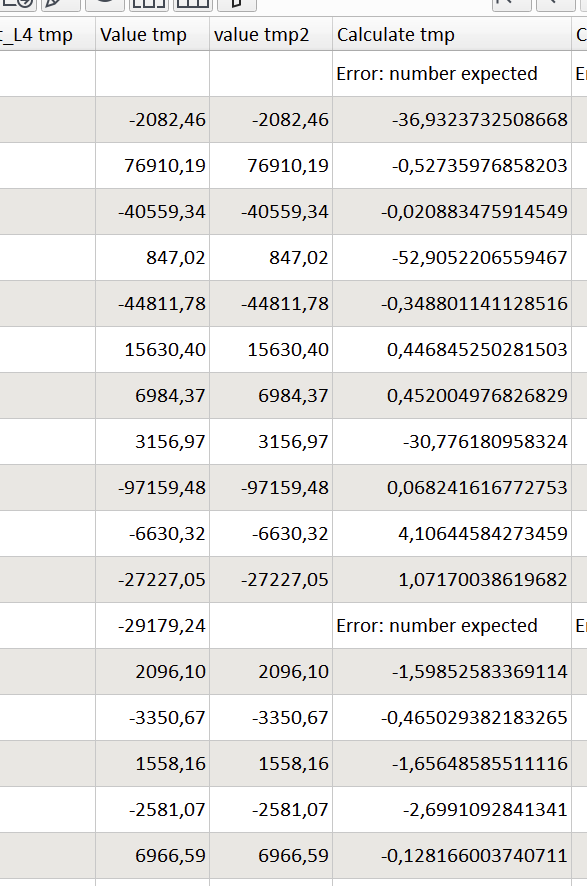
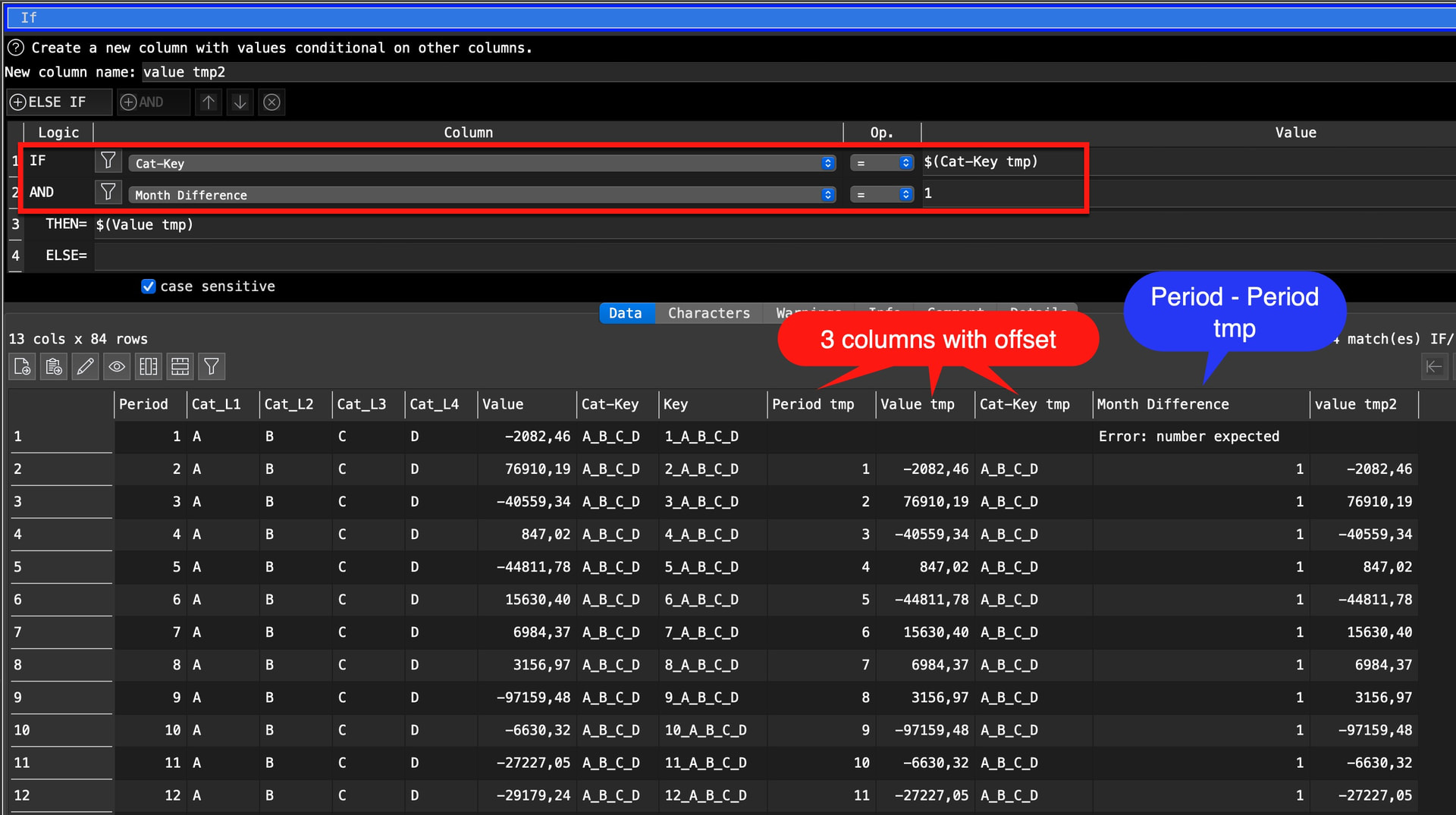
hi olaf, thanks again- i think i understand why the percentages were off look at the screenshot: the first calculations is correct: calculate tmp

nevertheless the calculation in my file were not according to your calculation:

I changed it (and there was an issue with column names) and it gives now (just the same, but now the formulas are according to the given one)

Phil MoM change 4.transform (18.5 KB)

1 Like