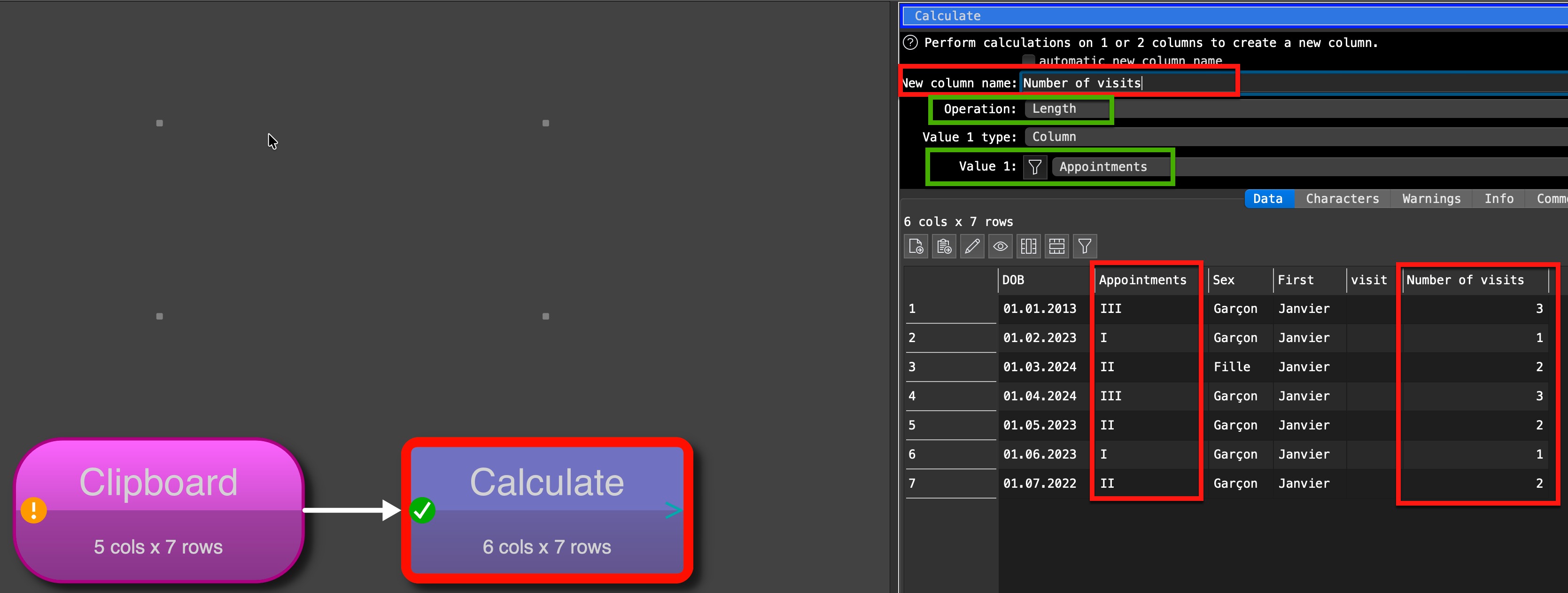
I received an Excel file containing data on appointments. One of the fields contains different numbers of “I” representing visits, like checkmarks of old…
1 visit = I, 4 visits = IIII, etc.
How can I convert this to numbers (e.g.: IIIII → 5)?
Find and replace is one way, but there are records with up to 15 “I”… Any better option?
Below an anonymised sample dataset.
DOB Appointments Sex First visit
01.01.2013 III Garçon Janvier
01.02.2023 I Garçon Janvier
01.03.2024 II Fille Janvier
01.04.2024 III Garçon Janvier
01.05.2023 II Garçon Janvier
01.06.2023 I Garçon Janvier
01.07.2022 II Garçon Janvier
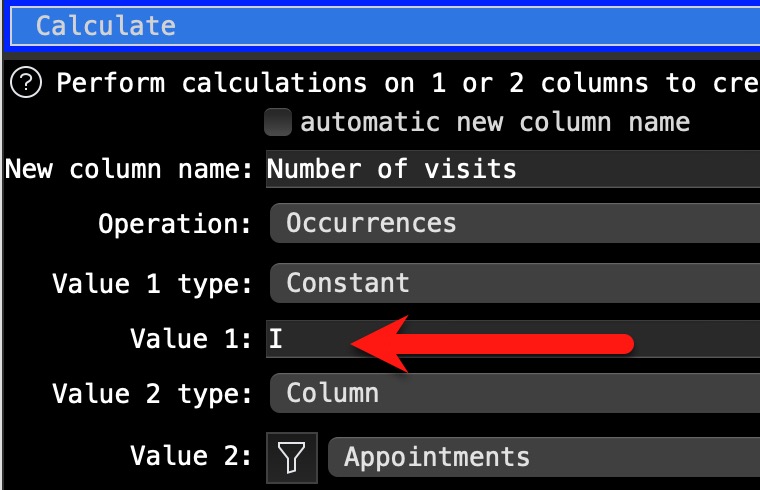
I looked into the calculate transform and thought that using “Occurrence” could be a better option, as it should report the number of occurrence of a string (character) I, with the idea that spurious spaces may appear in between the “I”s. I used as a constant I (then “I”, without any changes) unfortunately this results in 1 if the column contains just one I, and 0 if there are multiple “I”s (II, IIIIII, …); empty field yield an empty result.
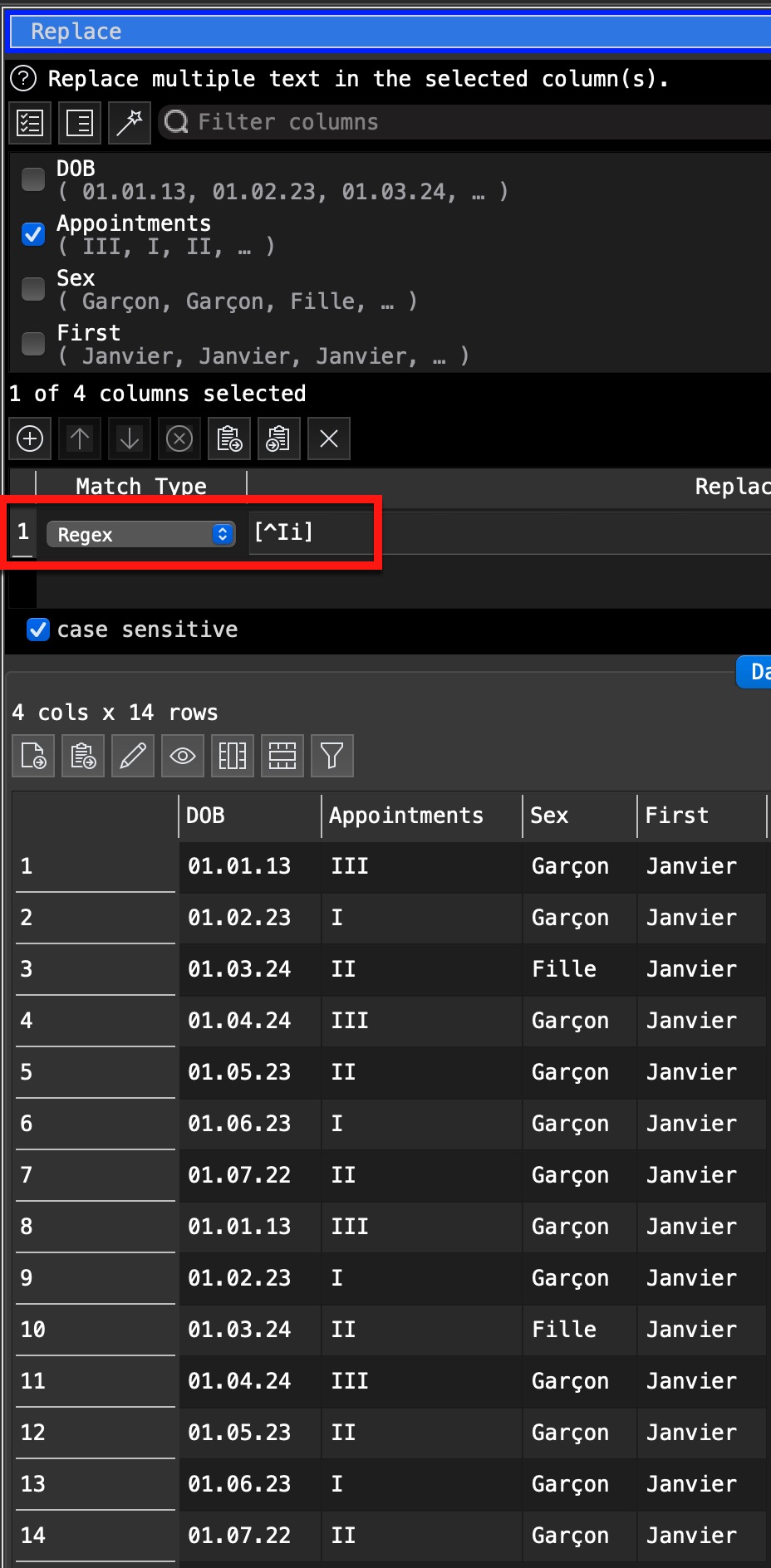
it is an excellent alternative, It will ignore any character beside the “I”s. But you have to consider it is case sensitive in case you have “i” it will be ignored. Another alternative could be to use Replace before the calculate and replace unintended identified character by ““ (nothing) or a Regex replacing everything beside “i” or “I” with ““.
With the “occurrence” approach there is possibly a bug, as only “I” are identified as 1, Not “II” (gives 0) and all the others “III”, “IIII”, and so on…
Thank you for showing the transform - it was my mistake, I had as value 1 the appointments and as value 2 “I”, and therefore it was working perfectly, matching only “I” and “I”…