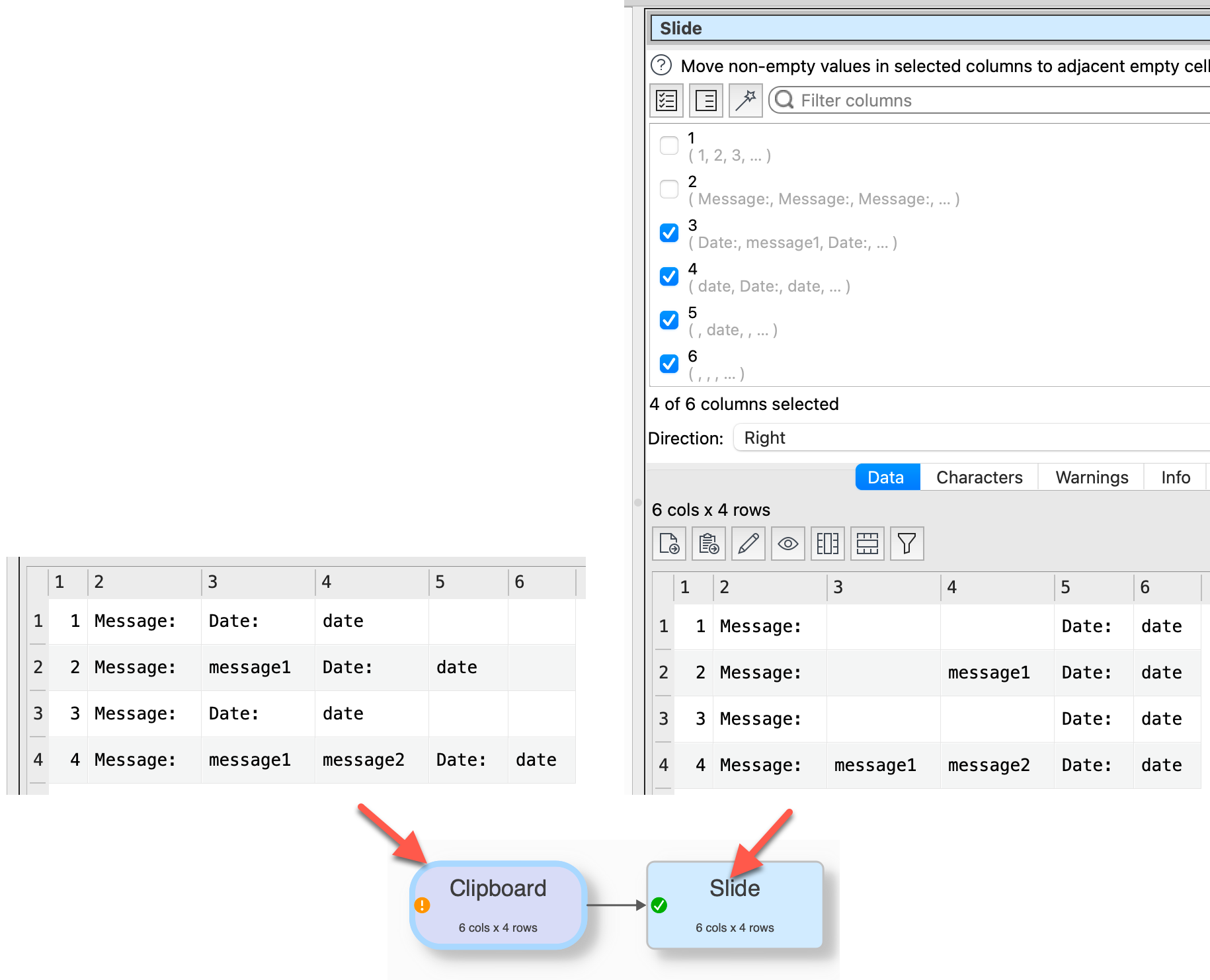
I am new to Easy Data Transform and I think I am going to find this program very useful. The first thing I am trying to do is to transform a csv file containing the data from email notifications of eTransfers to our business account.
This is a little difficult as the contents of each column depend on whether the person sending the eTransfer actually included content such as a Message.
If they did, column six $(6) of the csv file will have the content “Message:” and the next column $(7) will have the actual message data. However if they don’t include a message, the column will have the content Date: and the next will contain the date of the transfer.
If they include several lines of a message, the different lines will each occupy a subsequent columns. So other responses will be offset by different amounts in the subsequent columns
I realise that I can use the IF option and select IF $(5) Starts with Message, then add a new column named Message with the data from $(6). But doing that and catching all the various for the Date being in columns 5,6,7,8,9,10,11 etc, would be a bit tedious.
I read through the Column variables help section, but couldn’t see if it was possible to reference a relative column name. eg. If ANY column contains “Message” THEN $(current column +1) is the value.
Is this possible and apologies if I have missed something obvious.
I can imagine that the schema options during import may help. But it would be helpful if you can add/publish small example of your source and the target you intend to reach.
One possible approch is to Concat Cols for all email columns, then use Replace and a regular expression to add any missing columns on each row, then Split Cols to recreate the columns.
It would be helpful if you could supply a sample input CSV and the corresponding output you want .(paste them into your answer)
Thank you for the responses. You have given me some good tips. As Olaf suggested I should provide a copy of a file showing the issue I am dealing with. I have sanitised the data and eliminated columns which are irrelevant to the task as it is trivial to just delete some columns.
As a new member I wasn’t able to upload a csv file, so I have copied seven rows of the input csv file below and below it the result I am hoping to be able to achieve. I need to read up much more about data schemas in order to see if this may be the solution.
For these e-transfers we receive a text only email with the information shown. As not everyone remembers to add their account number to the Message field, not all the rows contain an account number and some add additional data that is not always relevant.
Thanks for any insights, tips or guidance you can provide.
After column renaming and removing not required columns you stack the tables by columns names.
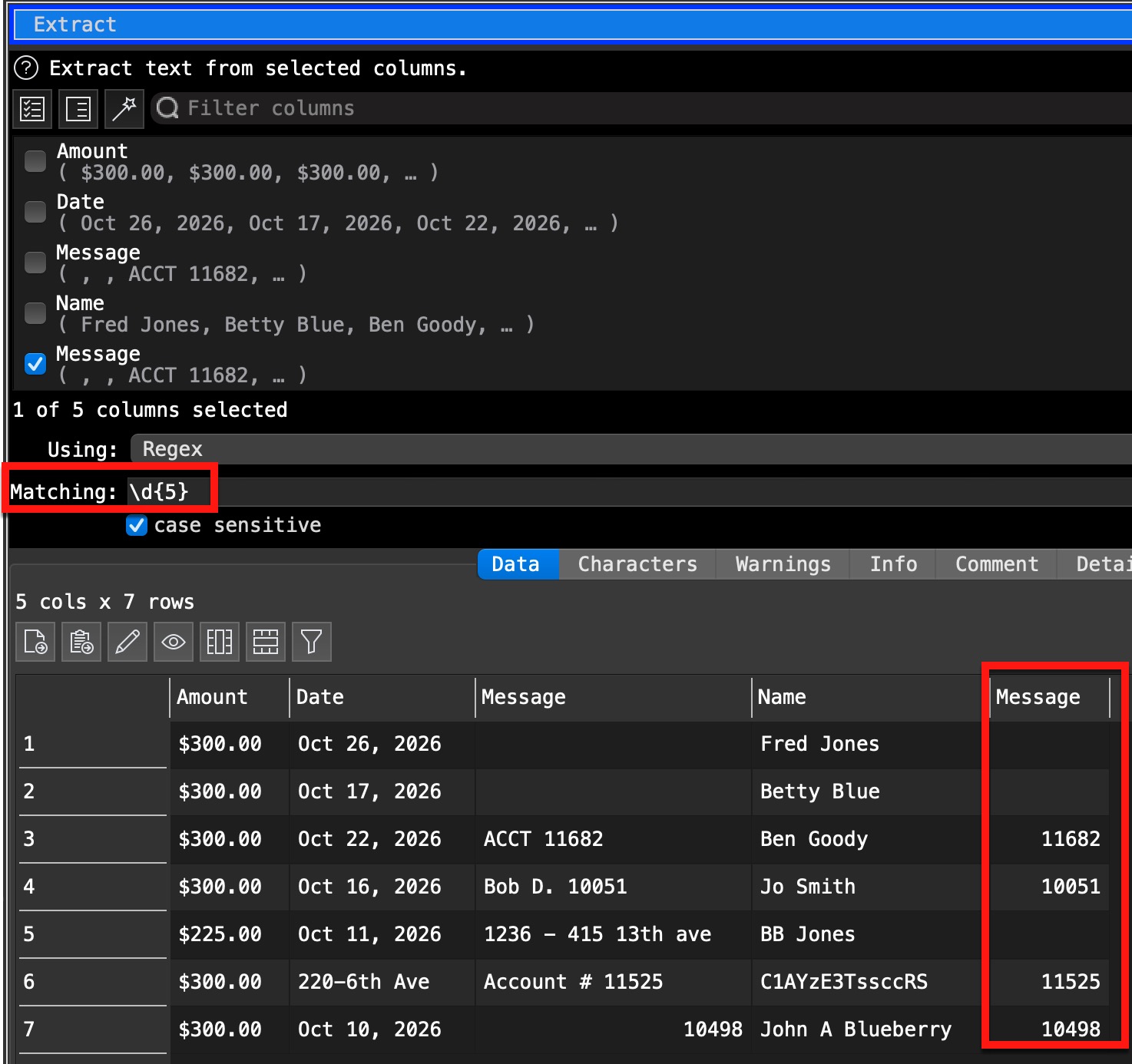
As the Acct values is on different positions in the Message field there might be a solution to get it with a reg expression (but I’m not an expert for it), this step is not in my suggestion.
But it works only if the Acct number has in every case 5 digits and is unique in the field. It doesn’t work in row 5 there the number has 4 digits, but in your result example it has 5 digits, but not in the source table.