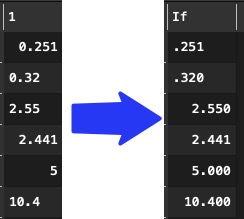
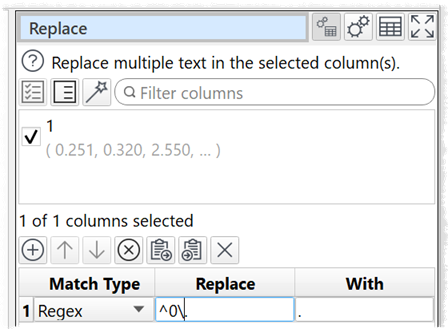
I’d like to create some new string columns based on numeric columns in my data set. The new column needs to use traditional baseball formatting. That is, values less than one should appear with a decimal point followed by exactly three numbers. If the value is greater than one, the non-fractional part appears to the left of the decimal point as normal.
So, for example, 0.251 would become “.251” and 0.3 would become “.300”. A value like 1.1 would become “1.100”.
If you are new in EDT, the $(1) in the if statement address the first column (by evident it is column name, too, so both would work) of the data table.
Thank you, that’s very straightforward. As I’ll do this many times across many future projects, is it possible to build reusable “subroutines” of transformation like that?